Handscribe

Now on iPhone Duo, iPhone and iPad

Write by hand. Keep every page.

A guided journal for people who love paper. Each day, a few words to begin. You write in your own notebook. Your phone keeps the page.

Download on the App Store

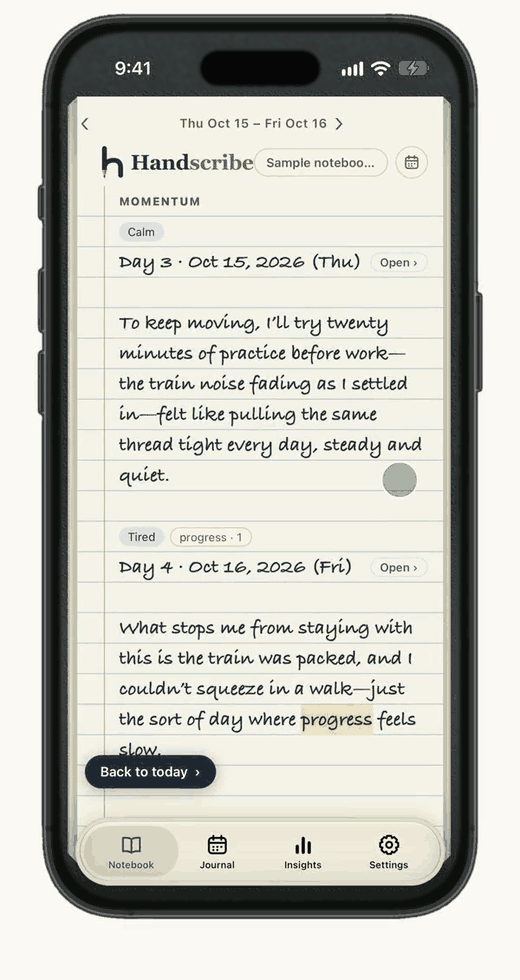
Handscribe on an iPhone: a notebook page with a day written by hand, its mood and counted words as tags.
The page turns like paper. Sample pages shown.

Made for iPhone Duo

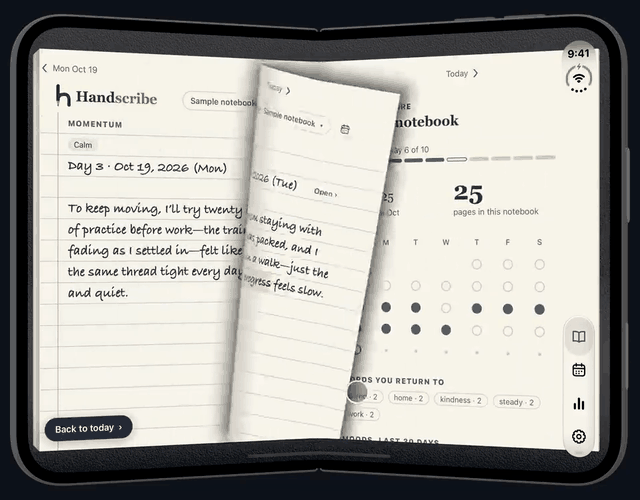
Closed, it is a page. Open, it is a book.

Handscribe open on an iPhone Duo as a two-page notebook on a leather table, a page turning across the hinge.
iPhone Duo. Sample pages shown.

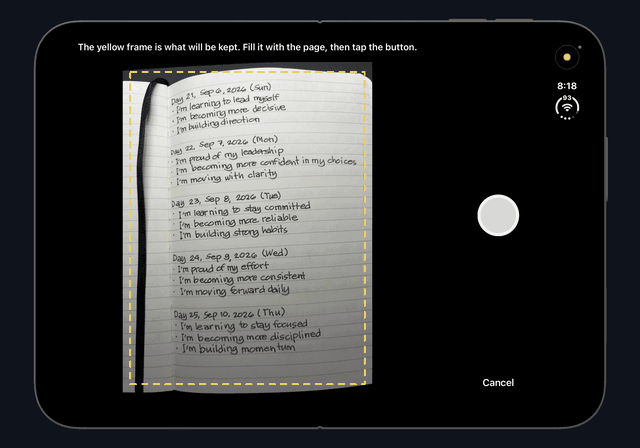
Scan a page from your notebook

The open iPhone Duo with its camera on a handwritten notebook page, a yellow frame around what will be kept.
Sample pages shown.

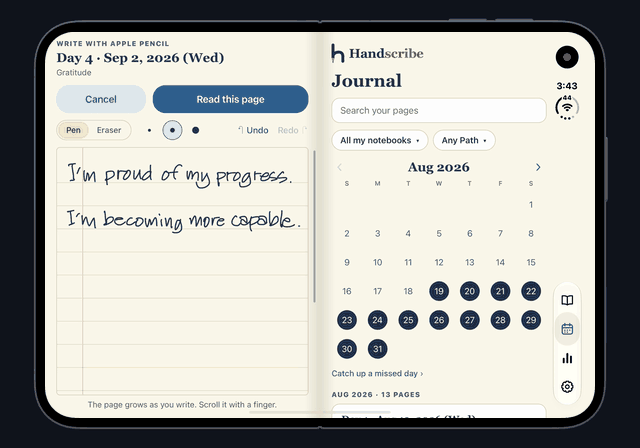
Or write it with Apple Pencil

The open iPhone Duo: two lines written with Apple Pencil on a ruled page on the left screen, and the Journal's August calendar on the right.
Use the eraser as you write, then proofread before you save. Sample pages shown.
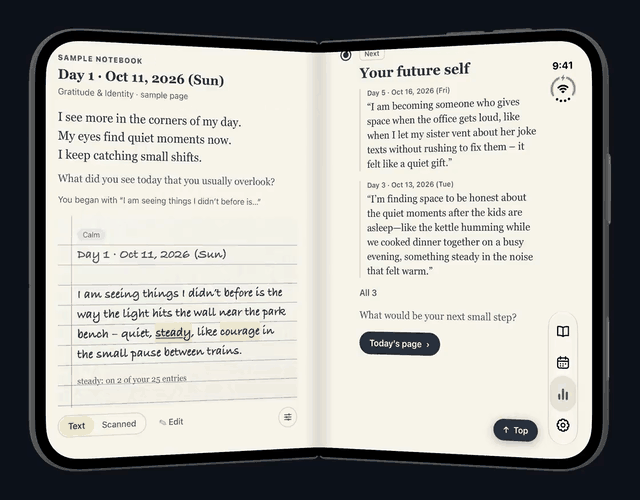
The open iPhone Duo: a page of the sample notebook on the left screen, with a counted word marked, and on the right Your future self, the last stop of the pencil line on Insights.
Insights. Sample pages shown.

Why paper

Writing it out is not the same as reading it.

A screenshot is easy to scroll past. A page asks you to put each word down yourself, at the speed of your own hand. Handscribe is built around that.

I used to read my affirmations off screenshots on my phone. Then I started writing them out by hand, on paper, every morning before my day begins. I noticed more confidence and clarity, and it became a habit. It surprised me.

A note from the maker. One person's experience, not a finding, and no promise that it will be the same for you.
What the research says, and what it does not
  • In a 2024 review of 24 studies, college students who studied from handwritten lecture notes did slightly better than those who studied from typed ones. Those were lecture notes, not affirmations.
  • Words you come up with yourself are remembered better than words you only read. This is a well-established finding in memory research (a review of 86 studies). It is about remembering words, not about how an affirmation makes you feel.
  • We have not found a study that compares writing affirmations by hand with reading them. So we do not claim that writing works better. We only know that it asks more of you, and that for one person it felt different.

Open it wide

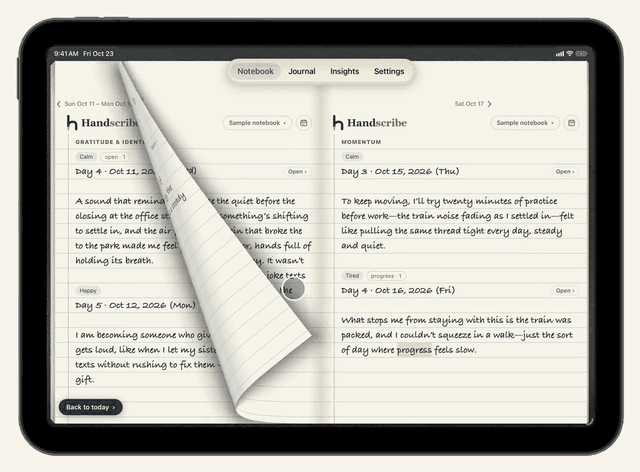
Open it flat and the pages turn like paper.

Handscribe on an iPad held wide as a spread of ruled pages, days of handwriting on each with their dates and moods, and a page lifting from its lower corner as it turns back.
iPad

Sample pages shown.

A place to begin

Every day starts with a few words.

A short line to think about, a question, and a few ways to begin. "Something that supported me recently was…" Choose one, or just write. The app suggests. You write every word.
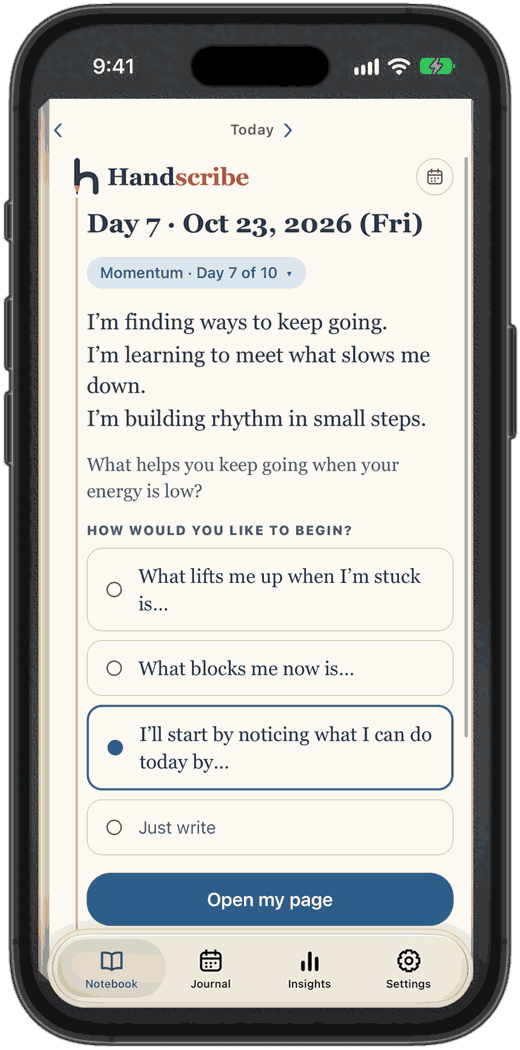
Handscribe's Today page: the date, a short line, a question, and four ways to begin.
Sample pages shown.

Scan it, keep it

Every page, in your pocket.

Point your phone at the page. Handscribe straightens it and keeps your original photo, exactly as you wrote it. On iPad and iPhone Duo, you can also write the page with Apple Pencil.
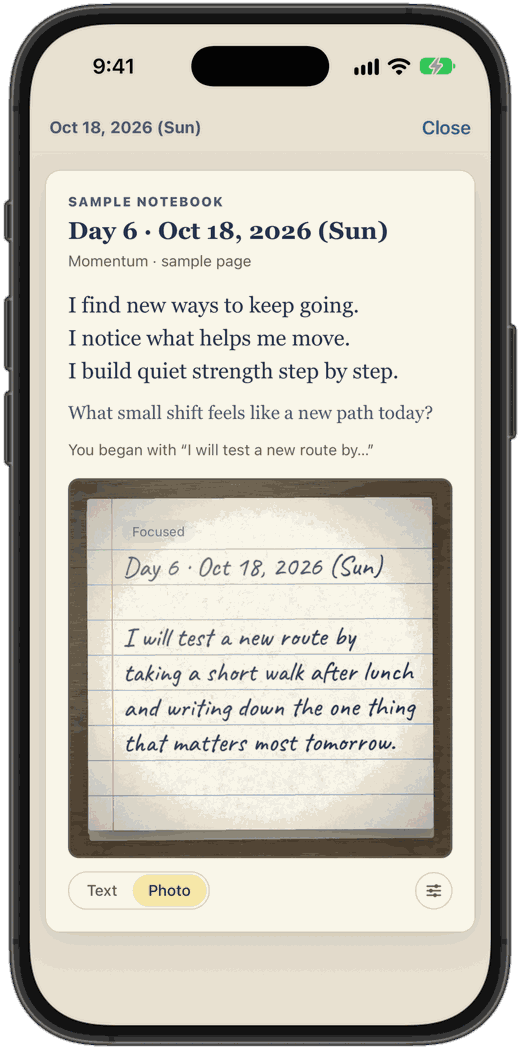
The day in Handscribe: its short lines and question, and below them the photo of the handwritten notebook page, kept as it was written, with Text and Photo to switch between.
Sample pages shown.

Pencil notes

The words you come back to, marked in pencil.

On your own page, in your own hand. Tap a word to see how often it appears. You check every word first, and your photo is never changed.
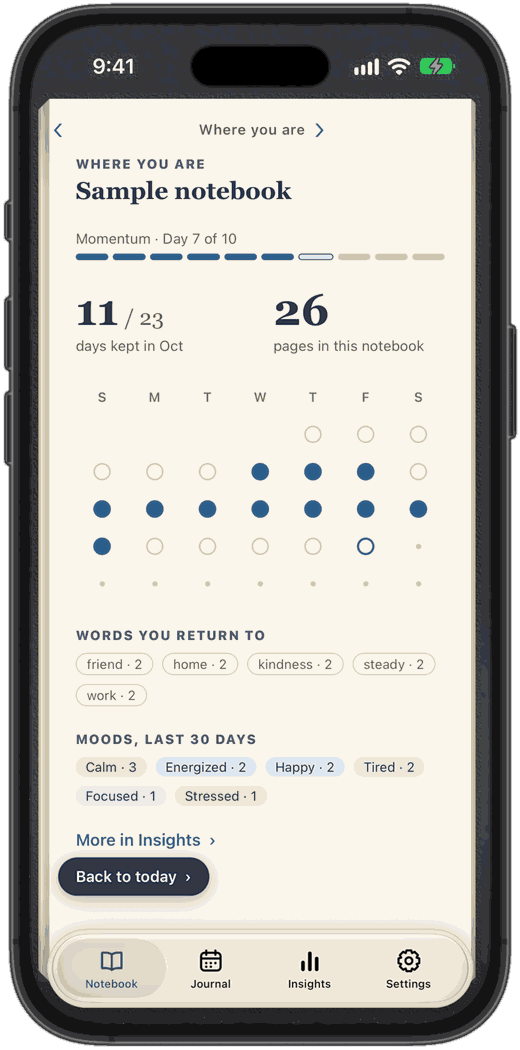
Where you are in the notebook: eleven of twenty-three days kept in October, a dot for each day, the words you return to, and your moods over the last thirty days.
Sample pages shown.

Your journal

A calendar of the days you wrote.

Tap a day to open its page. A day you skipped is just a blank page. There are no streaks to keep and nothing to fail.
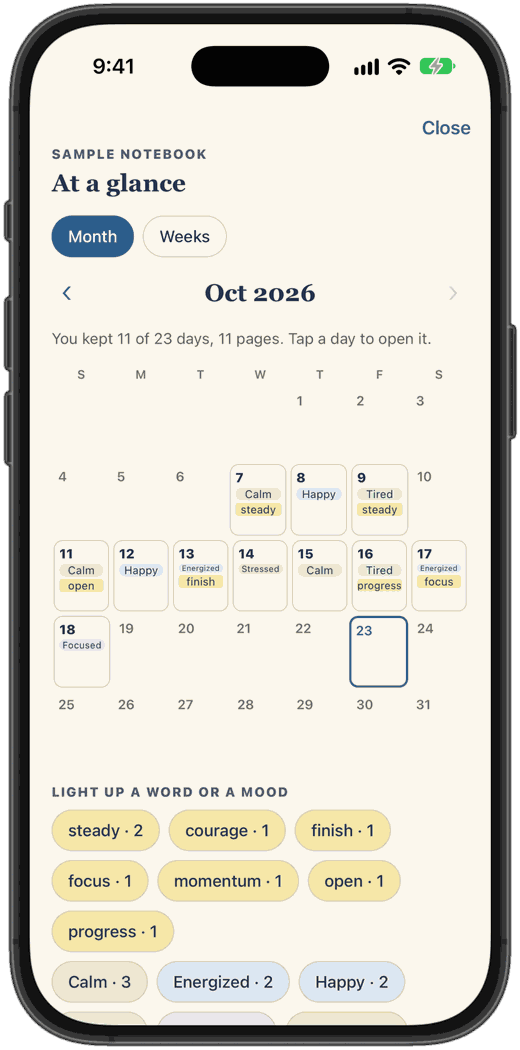
At a glance: October as a month calendar, each kept day showing its mood and a word, with the words and moods to light up below.
Sample pages shown.

A quiet reminder

One gentle nudge a day.

At the time you choose, and never on a day you have already written. Switch it off whenever you like. Today's page can sit on your Home Screen as a widget.

As it appears on the lock screen.

Quiet by design.

Your next page is waiting.

Download on the App Store Read the guide

Also from Algodash Apps LLC